
What Is a Dutchess County Court Docket
A docket is the court's running list of every step in a case. Each line is dated and short. A civil docket shows a summons, a complaint, an answer, a motion, an order, a note of issue, a judgment, and a satisfaction. A criminal docket shows the indictment or SCI, the arraignment, plea entries, motion practice, sentence, and any warrants. The docket does not hold the full text of those papers. It holds the entry that says the paper was filed. For full content, a person uses the case file or the e-filed PDF on NYSCEF.
The Dutchess County Clerk and the chief clerk of each court keep parallel records. County Clerk filings sit in the Document Search. Court calendar entries sit in the Unified Court System portals. A user can read the docket free and pay only when copies or certified versions are needed. Judiciary Law § 255-b states that clerk dockets are public.
How to Find Dutchess County Court Dockets Online
Pick the portal that matches the court. Supreme Court and County Court civil dockets live in WebCivil Supreme. Criminal calendar data lives in WebCriminal. Family Court calendar entries are in WebFamily with limited public detail. Probate calendars and filings appear in WebSurrogate. The full portal index sits on the e-Courts landing page.
The picture below shows the e-Courts WebCriminal defendant search, which is the entry point for active criminal calendar data in Dutchess County Court and the city courts. View the WebCriminal portal to start a defendant lookup.
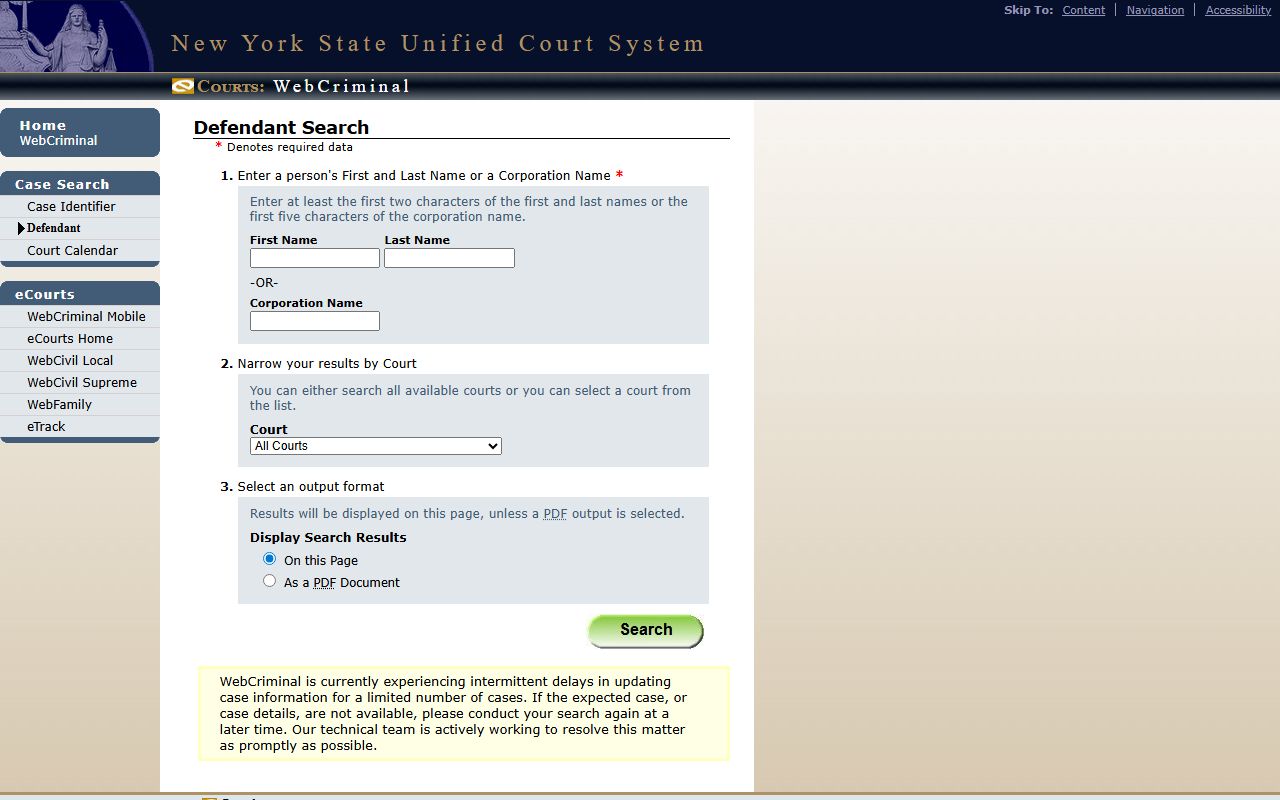
WebCriminal is calendar-focused and active-case focused. Disposed cases may drop off the public view and require clerk contact for full docket history.
- Open the matching portal. WebCivil for Supreme and County civil cases. WebCriminal for active criminal cases. WebFamily for Family Court calendars. WebSurrogate for probate.
- Enter the index number, docket number, or party name. Last name first works best.
- Add filters such as court, justice, attorney, or role to cut the result list.
- Open the case hit. The docket entries appear in date order with event type and a short label.
- For e-filed papers, click through to NYSCEF to view the full PDF. Sealed or restricted files do not open.
Note: blank searches are not allowed in the County Clerk Document Search; users must enter at least one criterion before clicking Search.
Sample Dutchess County Docket Entry Fields
Each docket entry in a Dutchess County court file packs a short set of fields. The format is similar across Supreme, County, Family, and city courts, with some labels swapped. Reading a few entries top to bottom shows what the case has done and what hearing comes next.
| Field | What It Shows |
|---|---|
| Entry Date | Date the clerk recorded the event or filing. |
| Event Type | Filed Summons, Filed Complaint, Filed Answer, Motion, RJI, Note of Issue, Judgment, Stipulation, Order, Notice of Appeal, Plea, Sentence, Adjournment. |
| Party Filing | Plaintiff, Defendant, Petitioner, Respondent, People, or the court. |
| Document Link | NYSCEF PDF for e-filed papers; County Clerk image where applicable; clerk-held paper if not online. |
| Calendar Date | Next hearing date, time, part, courtroom, and judge or justice. |
| Disposition Code | Pending, Disposed, Sealed, Stayed, Adjourned, Transferred. |
| Index or Docket Number | Civil index number, criminal docket or indictment number, Family docket, Surrogate file number. |
The County Clerk Document Search returns its own field set for recorded filings. Result hits include Party Name, Type, Year, Doc #, Liber, Page, Municipality, Party Type, Date Recorded, Comment, and Complement Name.
Dutchess County Courts That Publish Dockets
The courts in Dutchess County split their docket access by portal. Some publish wide calendars online. Others stay paper-based at the clerk's office. The list below maps each court to where its docket data lives.
- Dutchess Supreme Court: civil dockets in WebCivil Supreme; e-filed cases in NYSCEF; courthouse at 10 Market Street, Poughkeepsie.
- Dutchess County Court: criminal dockets in WebCriminal; civil parts in WebCivil Supreme; appellate calendars by part.
- Dutchess Surrogate's Court: probate dockets in WebSurrogate; full files at the chief clerk on the 10 Market Street campus. See the Surrogate's Court page for filing detail.
- Dutchess Family Court: calendar entries in WebFamily; underlying records closed under Family Court Act § 166; courthouse at 50 Market Street.
- Beacon City Court: WebCrims, ePlea, local civil calendar links on the court page; counter at One Municipal Plaza, Beacon.
- Poughkeepsie City Court: WebCrims, ePlea, calendar links; counter at 62 Civic Center Plaza, Poughkeepsie.
- Town and village justice courts: dockets are mostly local; many do not post online. Call the local court for traffic, small claims, and code matters.
The state e-Courts page is the gateway for all of those portals. The NYSCEF case search image below shows the entry form used to pull e-filed Supreme Court documents that connect back to the docket.
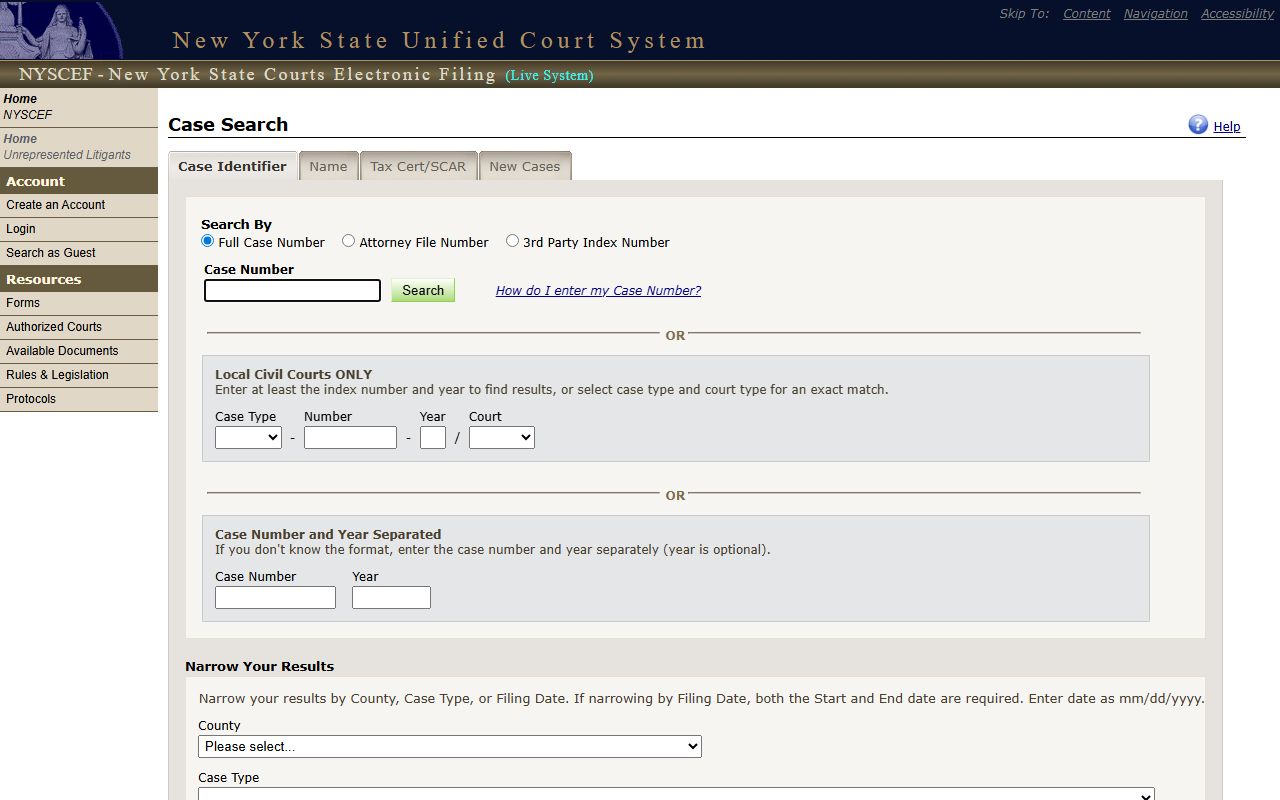
Open the NYSCEF case search to find e-filed Supreme Court matters by party name, index number, or county. Sealed and restricted docs do not appear.
Docket vs Full Case Record
People often ask for "the case" when they really want the docket. The docket is the index. The case file is the paper. A docket entry says "Motion filed" with a date. The full file has the brief, the affidavit, and the exhibits. Both are part of the Dutchess County court record set, but they are not the same thing. The docket is built for tracking. The file is built for review.
| Docket | Full Case Record | |
|---|---|---|
| Format | List of dated entries. | Pleadings, motions, exhibits, orders, transcripts. |
| Access | Free online for most civil and criminal cases. | NYSCEF download for e-filed papers; visit clerk for paper or sealed-portal files. |
| Use | Track case progress and next court date. | Legal review, evidence, appeal, certified copy. |
| Restrictions | Some calendar fields hidden in Family and sealed cases. | Sealed pleadings, matrimonial papers, juvenile, mental health, and grand jury minutes are closed. |
| Cost | No fee to view the docket online. | $0.50 per page watermark-free download from the County Clerk; $1.25 per page clerk-prepared certified copy. |
Note: the docket may show a sealed entry as a placeholder, with the underlying file blocked from public view.
Family Court Calendars in Dutchess County
Family Court calendars sit on a different track. Under Family Court Act § 166, Family Court records are not open to general public inspection. The WebFamily portal lets a party or attorney look up an upcoming court date by file number or docket. The public side is narrow. Names, charge type, and case detail stay closed unless the court allows access.
The Dutchess Family Court at 50 Market Street holds custody, visitation, support, family offense, juvenile delinquency, PINS, and abuse and neglect calendars. Judges Joseph Egitto, Tracy C. MacKenzie, Jeffrey C. Martin, and Denise M. Watson sit on the court. Support magistrates handle child support. The chief clerk handles file requests and court contact. Use the WebFamily portal for date lookup and the court page for forms and phone.
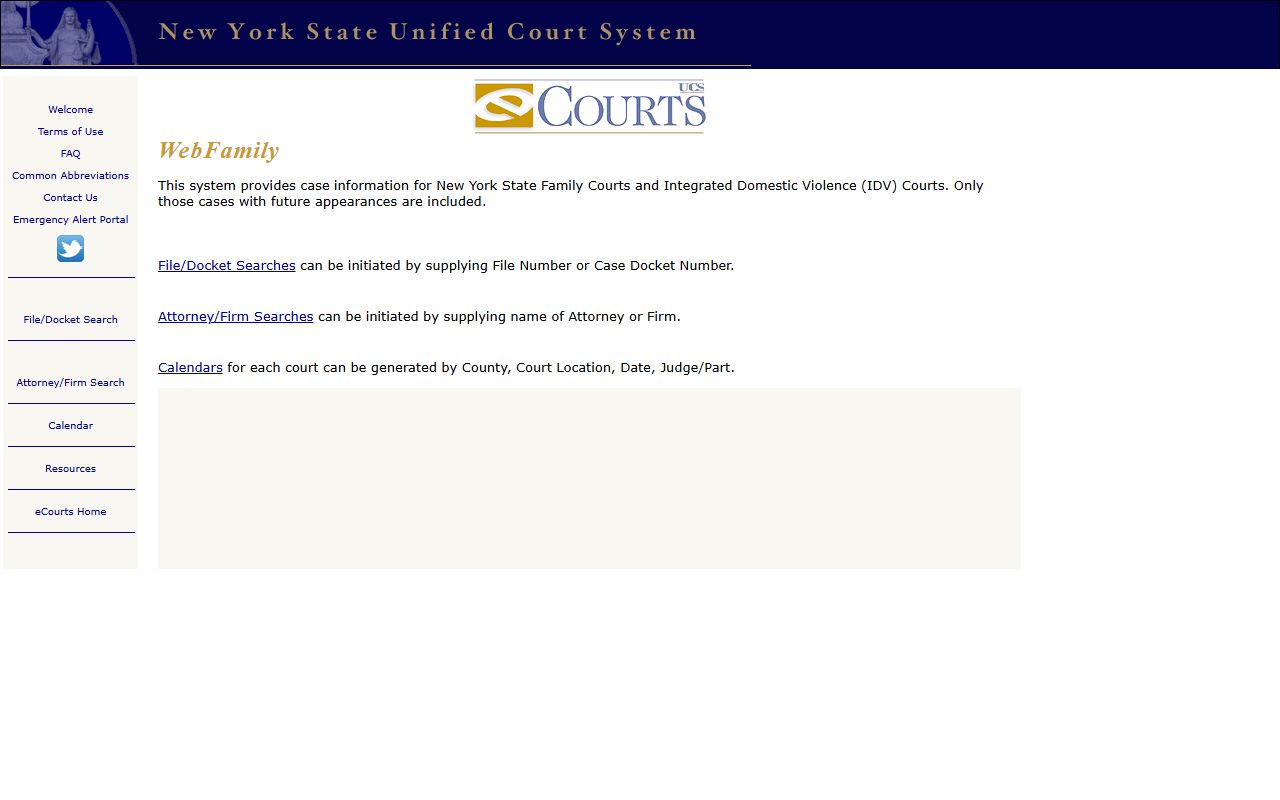
Open the WebFamily portal to look up an upcoming Dutchess Family Court date. Public detail is limited by the confidentiality statute.
How to Read a Dutchess County Docket
Docket abbreviations are short for a reason. Clerks log dozens a day. A reader who learns the codes can scan a case in under a minute. The list below covers the entries that appear most often in Dutchess Supreme, County, and Family files.
- RJI
- Request for Judicial Intervention. This is the form that puts a Supreme Court case in front of a justice and assigns it to a part.
- NOI
- Note of Issue. The case is ready for trial and added to the trial calendar.
- OSC
- Order to Show Cause. A judge-signed order setting an expedited motion or short-fuse temporary relief.
- SCI
- Superior Court Information. A felony charging instrument used when an indictment is waived.
- Plea
- The defendant's formal answer to a criminal charge. Guilty, not guilty, or a negotiated plea.
- Adj.
- Adjourned. The case was put over to a later date by the court.
- Disposed
- The case has a final outcome. A civil judgment, a criminal sentence, a dismissal, or a settlement.
Disposition codes vary by court. Supreme civil cases close as Disposed by Judgment, Disposed by Settlement, Discontinued, or Dismissed. Criminal cases close with codes for plea and sentence, dismissal, or transfer to another court. Family Court closes with custody orders, support orders, dispositional orders, or withdrawal. The chief clerk for each court can read a code on the phone if a user is unsure.
Adjournments and Tracking the Next Date
Calendars change. A Dutchess County criminal case set for Thursday may be moved at the bench. Civil parts adjourn for discovery, motion practice, or settlement talks. The docket is the safest place to confirm a hearing date. The court can also be called for current calendar status, and chief clerks have direct lines.
The Unified Court System eTrack service sends free email alerts when something hits a Supreme Court or County Court civil docket. Sign up through e-Courts with the case index number. Each new docket entry triggers a message. This is a fast way to catch a motion filing or order without checking the portal each day.